Posting Difficulties

Started by Cory Fair, December 4, 2012 · 30 Replies · 6,585 Views

Cory Fair

After doing a server maintenence some browsers are giving an error when trying to post a reply. This mainly affects browsers that you've used heavily with the forums but I will have a fix ASAP. The mobile version is unaffected by this.


Solution:


Clear your browser cache, delete your cookies for the forums, and perform a hard refresh (CTRL+F5 / CMD+R for Mac) on the forums if you were experiencing this issue.
Joshua Naterman

In the meantime, I downloaded Chrome and have no issues. Just an FYI for anyone out there who experiences this besides me!

Cory Fair

test in IE

Nic Branson

Safari is busted for me.

Cory Fair

Server side issues with this have been fixed.

Clear your browser cache, and perform a hard refresh (CTRL+F5 / CMD+R for Mac) on the forums if you were experiencing this issue.

Patrick Smith

Testing... testing...


Hooray!

Mats Trane

Cant post in Chrome. It says post is empty.

Alessandro Mainente

it's strange mats, i'm using chrome, it works on my pc!

spyro7800

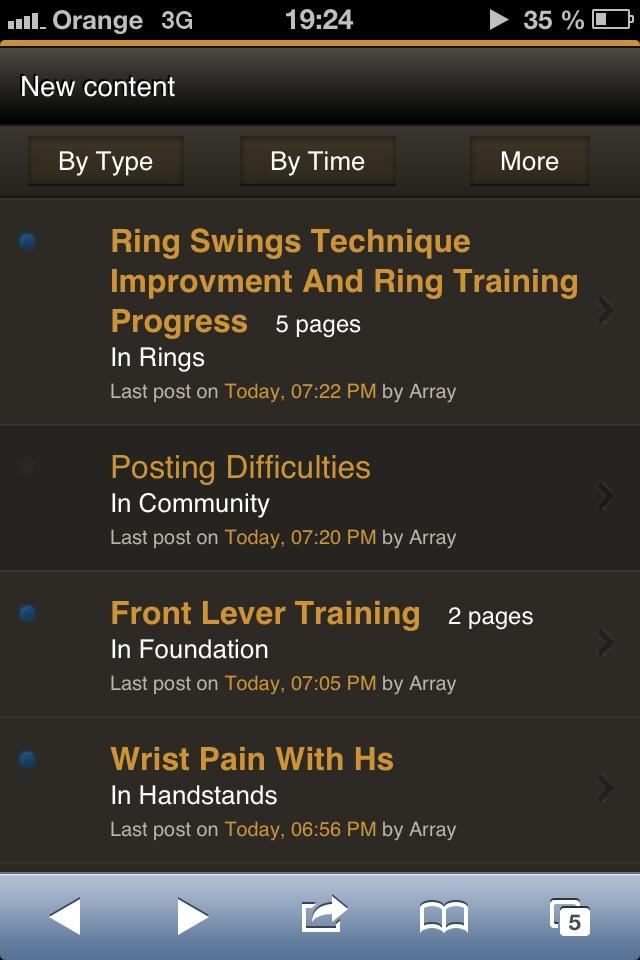
why do I see that last reaponse kn every thread is by ,,array"?

spyro7800

I meant response in thread :/ stupid cell phone

Cory Fair
Mats Trane said:

Cant post in Chrome. It says post is empty.

Did you try the solution in the first post of clearing your cache and cookies?

Cory Fair
spyro7800 said:

why do I see that last reaponse kn every thread is by ,,array"?

What browser and OS are you using? Mobile or Desktop version?

spyro7800

I found out that I see it only in ,,new content" area.

I use mobile, iOS - safari,

Cory Fair
spyro7800 said:

I found out that I see it only in ,,new content" area.

I use mobile, iOS - safari,


I can't seem to reproduce this. Can you take a screenshot (main button on front + power)?

spyro7800

sure.

post-3146-0-14335300-1354904829_thumb.jp

spyro7800

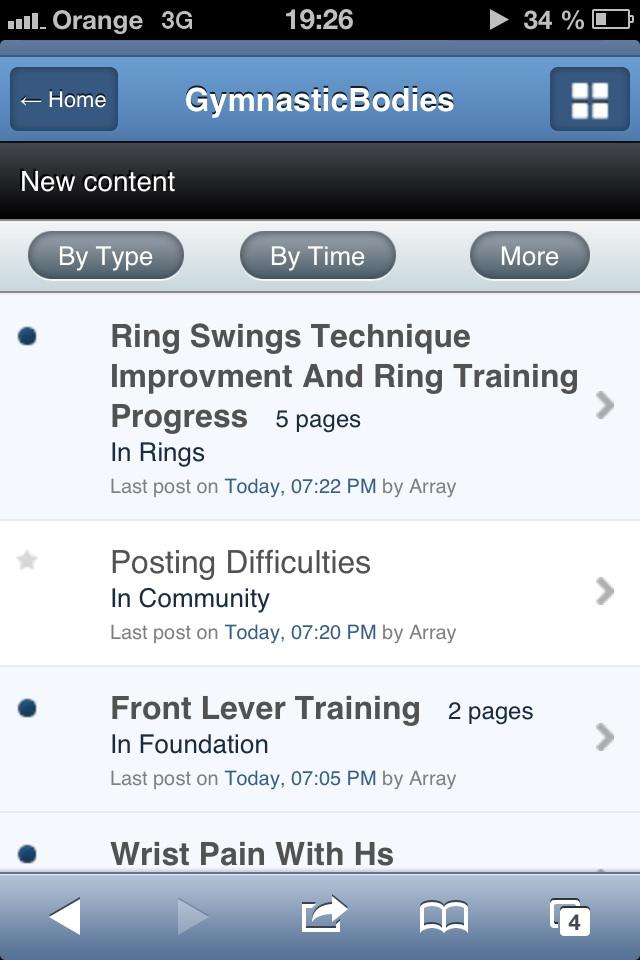
now when I switched to full version and back to mobile the whole theme changed to white/blue

post-3146-0-01959300-1354905045_thumb.jp

Cory Fair

That's the default "unskinned" look. Simply choose the GB Mobile theme while back in Desktop View.


Interesting bug, I'll see what I can do.

Joshua Naterman

anyone else having trouble seeing youtu.be links and thing slike that? I see the space where the video belongs, but not the video itself. Not even a border.

Cory Fair
Joshua Naterman said:

anyone else having trouble seeing youtu.be links and thing slike that? I see the space where the video belongs, but not the video itself. Not even a border.


Should be fixed now.

Rik de Kort

Quoting is broken for me as well. Mac OS X 10.6.8 with FireFox 16.0.2. Quote tags don't show up around quoted text.

Also, somehow the flat-text editor doesn't work anymore.

Cory Fair

Quoting isn't broken, it's simply changed format with an upgrade we did. I'm not a fan of the new look and format either, but it's going to take a bit of work to change it.


Flat-text-editor?

Rik de Kort

Yeah there's this button on the top left of the editor, next to the 'remove format'-button, that changes the editor to a flat-text one. It's broken now, though. Which is said because I like flat text editors.

Cory Fair

Are you getting a post empty error or something else altogether?

Rik de Kort

I only get the first few letters of the post I typed.

Cory Fair
Rik de Kort said:

I only get the first few letters of the post I typed.


Strange, I'll see what I can do.