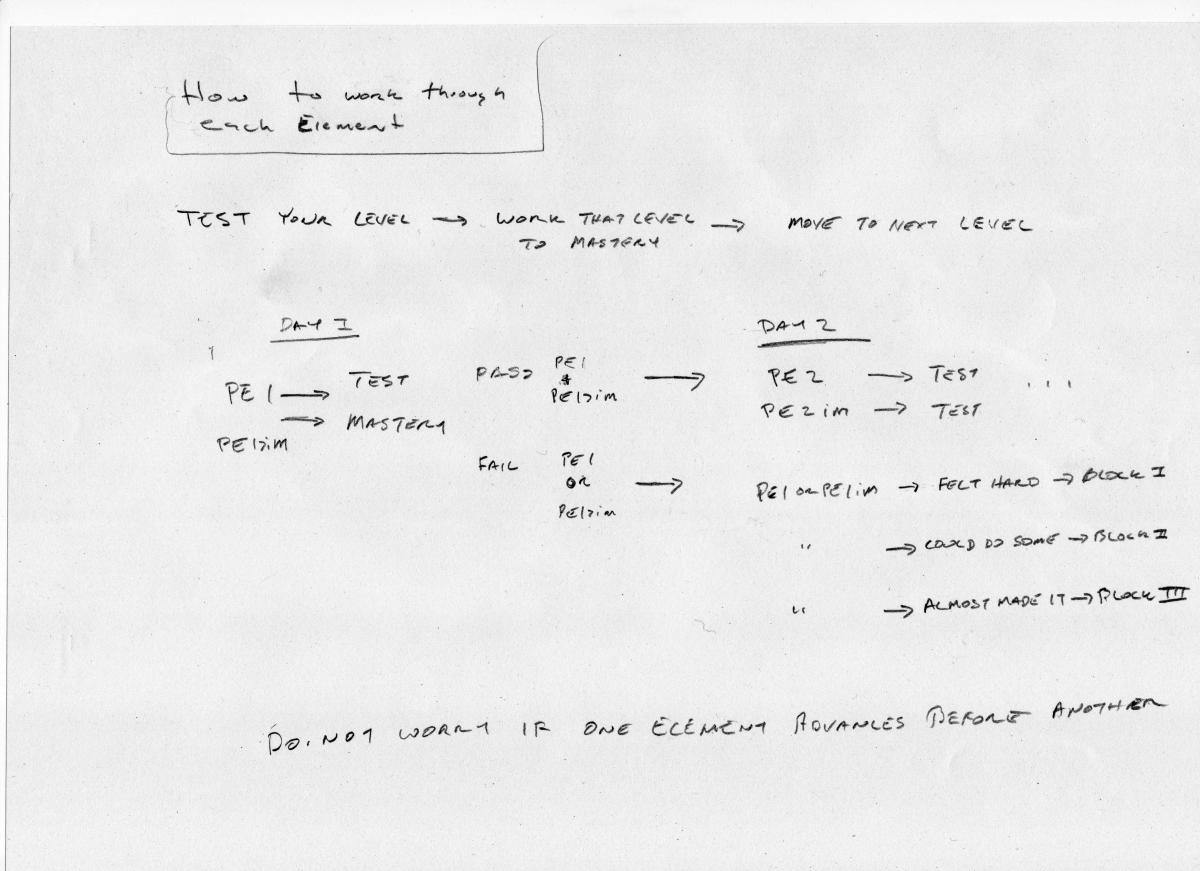
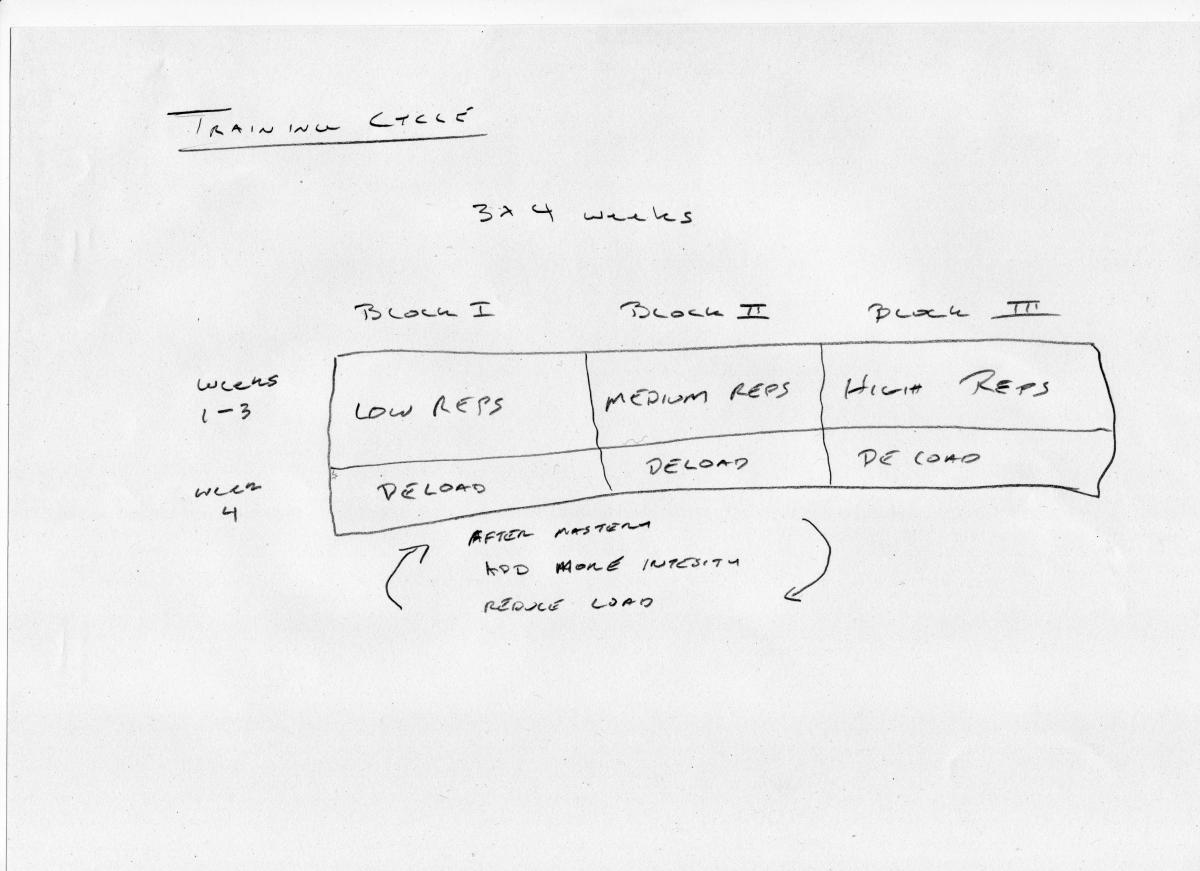
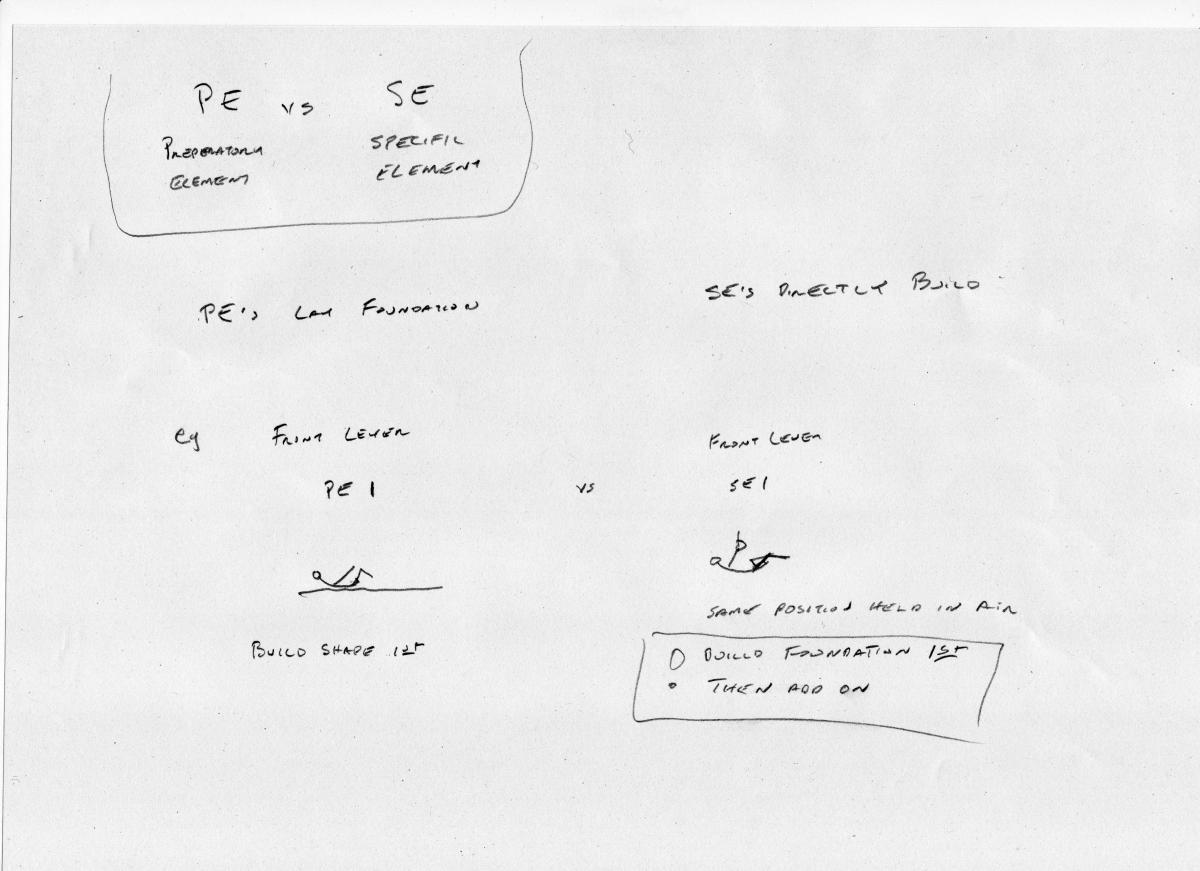
Here is a very rough set of sketches to lay out a small series of introductory info graphics to help students quickly visualise the way our courses are designed to be used.
- Four separate graphics
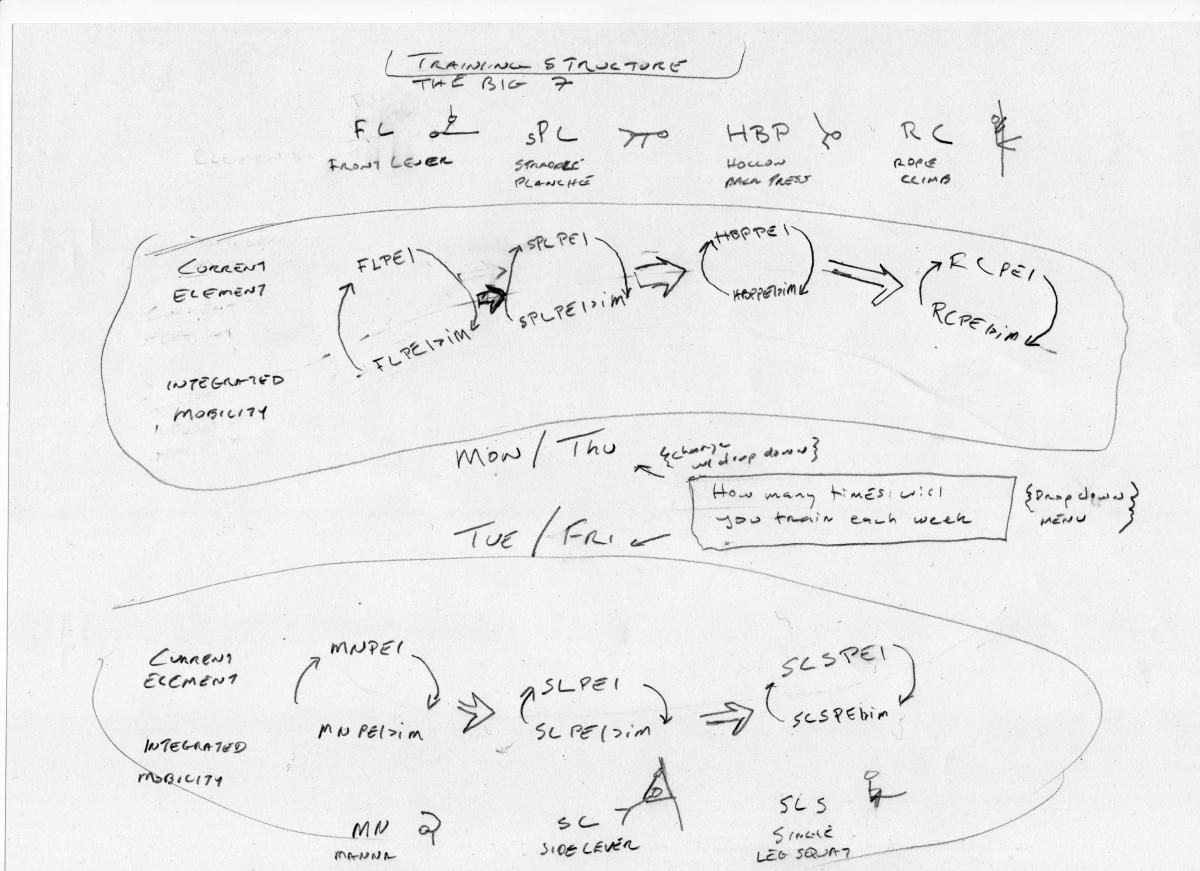
Training Structure - The Big 7 / How to Work through Each Element / Training Cycle / PE vs SE
(Please use your imagination here, these are rough sketches, when we are happy with the content Crystal can make them look appealing.)
Training structure graphic is the key one
- Idea is to as concisely as possible paint the complete overall idea of what the Foundation/HS/Movement system is
- Interactive area places how many training sessions/week & possibly appropriate courses
- Could be made in multiple versions depending on courses owned
F only is depicted
F+HS
F+M
F+HS+M
HS
or if this is considered enough to give the basic idea, simply refer to appropriate text for individual training options
One way this could be integrated into the courses
Call it 'Quick Start Guide'
- Have it on the main course page, styled exactly like the other courses so the flow of the page remains the same. This lets us use Cory's idea of placing it there, while keeping the same look, that does work quite well
On the Course Structure page we could add a link to the Quick Start Guide as well